

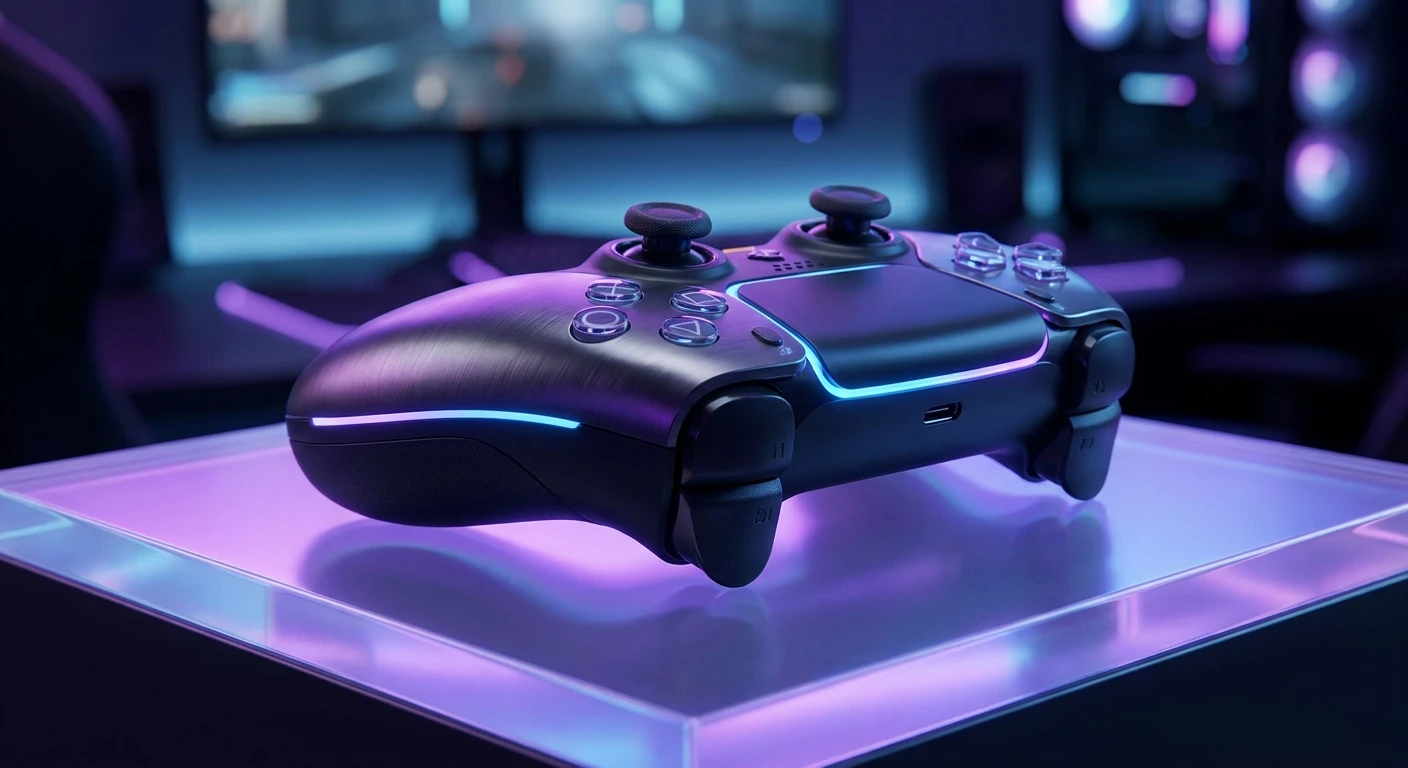
Why the ps5 dualsense edge is a Complete Game Changer
If you are wondering whether the ps5 dualsense edge is actually worth the hype, you are in the exact right place. Let me tell you a quick story to kick things off. The other day, I was sitting in a cozy, neon-lit gaming hub near Khreshchatyk Street here in Kyiv. We were running a local community esports tournament, the energy was absolutely electric, and a younger kid sat down at a station with a beat-up standard controller. He was visibly getting frustrated with stick drift and missing his sniper shots. I leaned over and handed him my personal custom pad. Within minutes, his whole posture changed. His aim snapped perfectly, his movement became fluid, and he clutched the round. That is the exact moment I realized a premium peripheral isn’t just a shiny flex; it is a genuine competitive advantage. Now that we are well into 2026, the competitive gaming scene has evolved drastically. You cannot just rely on pure reaction time anymore. Hardware matters immensely. Your gear acts as the bridge between your brain and the screen. If that bridge has potholes, you lose. I want to break down exactly what makes this specific piece of hardware tick. We will look at everything from the tactical benefits you feel immediately to the raw, intricate mechanics underneath the plastic shell. Grab a large coffee, sit back, relax, and let’s talk about leveling up your entire playstyle right now.
You might be asking what specific advantages you actually get when dropping extra cash on premium hardware. Let me explain the core benefits clearly, because it really comes down to absolute control and zero compromises. First, the customization gives you total authority over how you interact with your digital environments. For example, if you play hyper-fast first-person shooters, shortening the trigger stops means you fire your weapon milliseconds faster than your opponent. In a game where the time-to-kill is practically zero, that physical shortcut saves your life. Another great example is racing simulators: mapping the back paddles to gear shifting means your thumbs never ever have to leave the primary analog sticks, ensuring maximum steering precision at all times through tight corners.
Let’s look at a quick comparison to make things crystal clear:
| Feature | Standard Controller | Premium Edge Version |
|---|---|---|
| Trigger Stops | Fixed travel distance | Adjustable (3 mechanical levels) |
| Analog Sticks | Permanent, fixed modules | Easily hot-swappable modules |
| Back Buttons | None whatsoever | Two fully customizable paddles |
| Software Profiles | One generic layout | Multiple custom profiles saved on-board |
Those swappable modules alone absolutely justify the investment. If a stick starts drifting after hundreds of hours of intense gameplay, you don’t throw away a sixty-dollar pad; you just pop in a twenty-dollar module and keep playing. It is brilliant.
Here is a quick numbered breakdown of how to maximize these benefits right out of the box:
- Swap the standard domed caps for the high-rise thumbsticks to dramatically increase your aiming radius and micro-adjustments.
- Set up your custom profiles in the console settings to quickly switch between a shooter layout and a sports game layout with a single button press.
- Utilize the specialized function buttons located right below the sticks to instantly adjust your headset chat volume without ever pausing your game or looking away from the action.
Every single detail here is engineered for absolute efficiency. When you are sweating it out in a highly ranked match, those micro-adjustments keep you entirely focused on winning rather than fighting your own gear. There is genuinely no substitute for having physical toggles right at your fingertips. I’ve noticed my own hand fatigue decrease substantially because I am not stretching awkwardly to hit the D-pad during intense firefights.
Origins of Pro Controllers
To really understand why we have such incredibly advanced gear today, we need to rewind a bit. Professional controllers did not just appear out of nowhere. Back in the early days of competitive console gaming, players physically modified their own gamepads in their basements. They would drill holes into the plastic shells, solder extra tactical buttons directly onto the internal circuit boards, and literally glue grip tape to the sides. It was incredibly risky, prone to breaking, and usually voided warranties immediately. However, esports competitors demanded an edge. Small companies eventually noticed this underground modding community and started manufacturing third-party customized solutions, proving there was a massive market for high-end gear.
Evolution to the Current Generation
By the previous console generation, first-party manufacturers finally woke up to the reality of the market. They realized casual gamers also wanted the premium, luxurious experience that professionals enjoyed on stage. We saw the introduction of heavy, metallic pads with magnetic components. However, early attempts were often clunky. The ergonomics were a complete afterthought, prioritizing just the sheer amount of extra buttons you could cram onto the back. Over time, brilliant engineers refined these raw designs, integrating the back paddles seamlessly into the natural, relaxed grip of the human hand. It became less about adding more buttons and far more about placing them exactly where your fingers naturally rest anyway.
Modern State of Competitive Gaming
Now, looking at the landscape, the baseline for serious console play demands modularity and absolute precision. Standard hardware is totally fine for casual, laid-back story modes, but the modern competitive arena is utterly ruthless. The integration of advanced haptic feedback combined with mechanical trigger stops represents the absolute peak of this long evolution. We have successfully moved from crude plastic shells with soldered wires to beautifully engineered software-hardware ecosystems. The current ecosystem allows for saving complex digital profiles instantly directly onto the controller’s internal memory. Every tournament player today expects this level of sophistication as the absolute minimum standard. If your gear cannot adapt instantly to your changing needs on the fly, you are simply playing at a severe, unnecessary disadvantage.
Under the Hood: Stick Modules and Triggers
Let’s get slightly technical without making it boring. The most impressive engineering feat here involves the modular analog stick mechanisms. Traditional analog sticks use potentiometers—tiny electrical sensors that measure the physical resistance when you tilt the stick in a specific direction. Over time, the internal carbon tracks inside them scrape and wear down, causing the infamous and highly annoying stick drift. By making the entire module removable, engineers bypassed the nightmare of permanent hardware failure. Furthermore, the adjustable triggers utilize actual mechanical physical stops. Instead of a purely software-based deadzone that feels mushy, a physical metal slider physically blocks the trigger’s travel path, reducing the actuation distance drastically. It is a satisfying, solid click that stops your finger dead in its tracks.
The Magic of Custom Profiles
Beyond the physical components, the software integration is downright brilliant. The peripheral communicates directly with the main console firmware to store multiple complex custom configurations. You map the inputs, adjust the response curves of the analog sticks, and tailor the exact intensity of the vibration motors. This creates a deeply personalized tactile loop that feels custom-built just for your hands.
Here are some concrete, fascinating technical facts about the hardware driving this experience:
- The advanced haptic feedback actuators deliver precise localized vibrations, simulating complex textures like falling raindrops, crunching snow, or coarse sand under your tires.
- Dynamic adaptive triggers employ tiny motorized internal gears that actively resist your finger pulls based on specific in-game actions, like drawing a heavy bowstring.
- The analog stick response curves can be altered digitally at a systemic level—changing from a standard linear input to dynamic or highly precise algorithms depending purely on your specific aiming needs.
- Custom deadzones allow you to completely ignore the first few millimeters of accidental stick movement, preventing unwanted camera panning when your thumbs rest heavily on the sticks.
- The internal battery management system actively balances power allocation, juggling the extremely heavy electrical demands of dual haptics, fast wireless radio frequencies, and bright LED lighting without catching fire.
Understanding these impressive specs makes it completely obvious why this isn’t just an overpriced standard pad. It is a highly specialized piece of precision engineering designed specifically to translate human reflexes into digital actions with absolutely zero friction. When you analyze the raw data throughput from the controller to the system, the latency is practically non-existent.
Day 1: Unboxing and Initial Ergonomic Setup
The very first thing you need to do when opening the carrying case is experiment with the physical parts. Swap out the stick caps immediately. Try the standard domed caps versus the tall, high-rise options to see what fits your thumb reach better. Snap the half-dome back buttons into the magnetic slots and see how they rest against your middle fingers. Don’t play anything serious yet; just find your physical comfort zone.
Day 2: Firmware Update and Baseline Mapping
Plug the device directly into the console using the included, heavy-duty braided USB cable. Update the firmware immediately to ensure maximum stability. Once done, hop into the menus and map your jump and crouch actions to the newly installed back paddles. Do not touch the stick sensitivity or deadzones just yet; simply spend a few hours getting used to the new button placement in a low-stress game.
Day 3: Mastering the Trigger Stops
Boot up your favorite competitive shooter. Slide the physical trigger toggles on the back to the shortest possible setting. Spend a few hours just practicing aiming down sights and firing. Notice how much faster your weapon discharges compared to a full, lengthy trigger pull. This will ruin standard controllers for you forever.
Day 4: Tuning the Response Curves
Now head into the console’s accessories menu. Change your right stick aiming curve to either ‘Precise’ or ‘Dynamic’ depending on your playstyle. Go to a dedicated training mode in-game and practice tracking aggressively moving targets. Adjust the curve until your crosshair feels sticky, responsive, and totally natural.
Day 5: Deadzone Adjustments
If you notice your camera drifting even slightly when your thumb is completely off the stick, increase your digital deadzone by just one or two percent at a time. The ultimate goal is to keep this value as low as physically possible without causing unwanted idle movement.
Day 6: Creating Multiple Profiles
Set up at least three distinct profiles to maximize utility. Make one strictly for competitive shooters, one for racing or high-speed sports, and one for casual, cinematic adventure games. Assign them to the quick-access shortcut buttons located under the thumbsticks so you can swap instantly without opening any menus.
Day 7: Muscle Memory Integration
Spend today purely playing your hardest games. Force yourself to exclusively use the back paddles instead of the traditional face buttons for jumping and sliding. It will feel incredibly awkward and frustrating at first, but by the end of the day, your muscle memory will fully adapt, and you will never want to play the old way again.
Common Myths Debunked
Myth: Premium controllers instantly make you a vastly better player without any effort.
Reality: They provide a much higher ceiling for your mechanical skills, but you still absolutely need to practice. They remove artificial hardware limitations; they do not grant magical aiming abilities or game sense.
Myth: Annoying stick drift is completely eliminated forever with this device.
Reality: The stick sensors will still wear out eventually due to unavoidable physical friction. The massive, game-changing difference is that you can swap out a cheap, single module rather than replacing the entire expensive gamepad.
Myth: The internal battery life is exactly the same as the standard version.
Reality: Because of the added modular features, extra processing power, and customized software handling, the battery life is actually slightly shorter. You will realistically need to charge it more frequently during marathon gaming sessions.
Myth: Back paddles are only useful for hardcore esports competitors playing shooters.
Reality: Keeping your thumbs locked on the sticks makes casual platformers, complex RPGs, and open-world games massively more comfortable, heavily reducing repetitive strain on your hands over time.
Can I use it on a standard PC?
Yes, it connects seamlessly via a wired USB connection or Bluetooth, though full haptic feedback features require specific software support from individual PC games.
Are the magnetic back buttons comfortable?
Extremely. You get two completely different shapes in the box (levers and half-domes) to perfectly match your exact hand size and grip style.
How do I safely clean the rubber grips?
Use a slightly damp microfiber cloth. Avoid harsh chemical cleaners or alcohol, as they rapidly degrade the premium rubber coating.
Is the entire unit super heavy?
It weighs slightly more than the standard version, giving it a dense, premium, and perfectly balanced feel in the hands without causing wrist fatigue.
Can I easily replace the internal battery?
Not easily. It is completely internal and requires safely taking the plastic shell apart, which immediately voids your warranty.
Do standard charging docks still work?
Most official first-party docks work perfectly, but generic third-party ones might not fit the slightly wider lower profile of the new grips.
Is the cable included actually durable?
Yes, it comes with a high-quality, thick braided cable and a unique plastic locking mechanism so it never pulls out accidentally during a match.
Final Verdict
Upgrading to the ps5 dualsense edge is easily the smartest move you can make for your gaming setup right now. It fundamentally changes how you physically interact with digital worlds, giving you absolute control, incredible modular flexibility, and unparalleled ergonomic comfort. Do not let clunky, outdated hardware hold you back from your true potential anymore. Grab yours, map those back paddles, tune your triggers, and totally dominate your next match!





Leave a Reply