

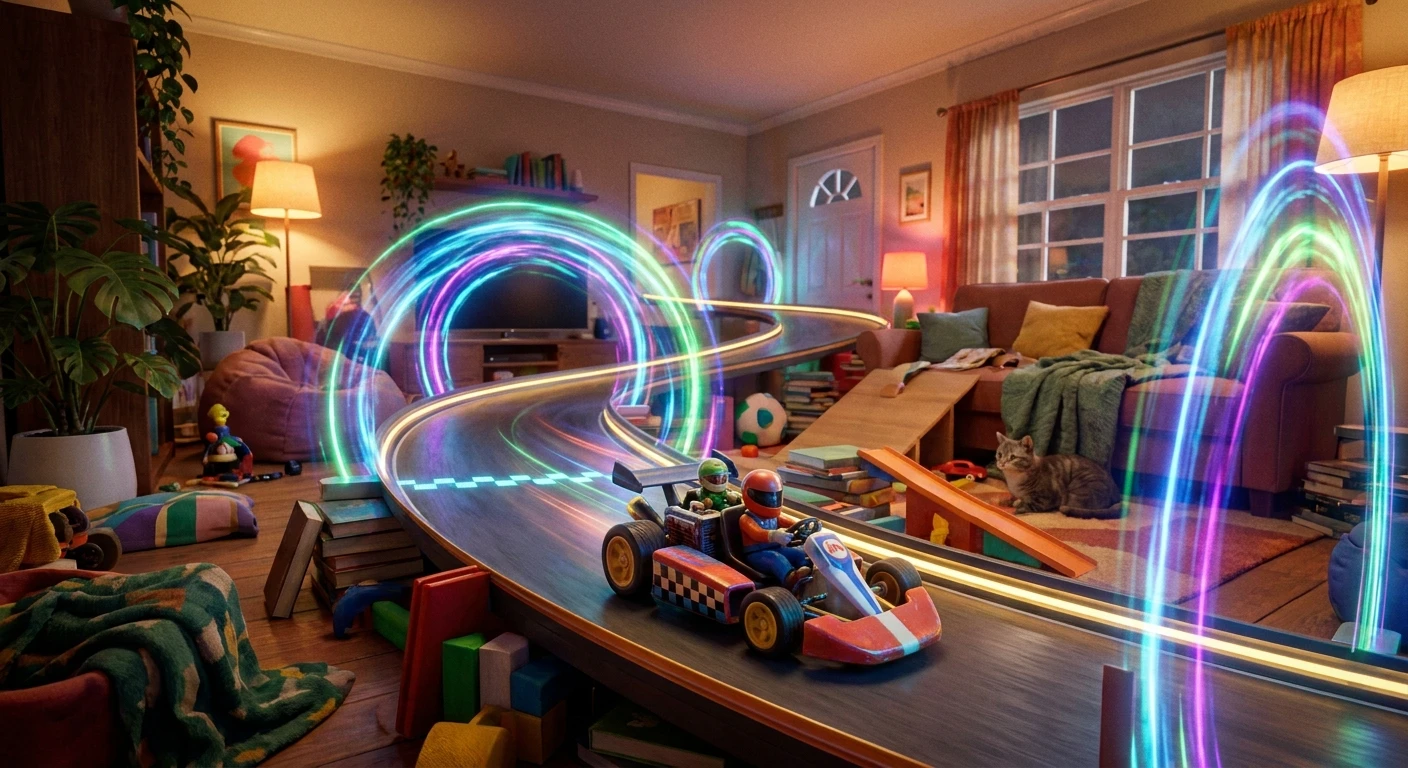
Unlocking the Magic of Mario Kart Live Home Circuit
Have you ever looked at your living room and visualized a professional race track winding around your coffee table? That is exactly the reality you get when you boot up Mario Kart Live Home Circuit. This innovative mixed reality experience blends the tactile thrill of traditional remote-control cars with the chaotic, item-throwing fun of a legendary video game franchise. Instead of staring at pre-rendered digital tracks, your television or console screen displays a live camera feed broadcast directly from a physical toy kart racing across your floor. The concept essentially turns your own house into a dynamic, customizable gaming environment. By merging digital hazards with real-world physics, this unique platform completely redefines what local multiplayer gaming looks like. You are no longer restricted by the digital boundaries programmed by a developer; your only limits are the walls of your room and your own architectural creativity. Mastering this hardware requires a solid understanding of both its physical limitations and its software capabilities. You need to know how the camera interprets light, how different floor textures impact battery life, and how to properly map out a course that is both challenging and functional. Whether you are aiming to build a tight, technical circuit in a small apartment or a sprawling endurance track across multiple rooms, mastering the fundamentals of this mixed reality system ensures every race is smooth, responsive, and incredibly fun.
Setting up the perfect race track requires understanding the intricate relationship between your physical environment and the digital software overlay. The core benefit of this spatial play style is the sheer creative freedom it affords, but that freedom comes with necessary technical considerations. The value proposition here is twofold. First, the software translates virtual hazards into tangible physical responses. For example, when an opponent hits your virtual character with a digital Red Shell on your screen, your physical toy kart actually grinds to a halt on your living room floor. Second, when you trigger a digital Mushroom boost, the physical motor actively revs up, accelerating the real toy rapidly across the carpet. Understanding the hardware’s performance metrics is crucial for optimizing these moments.
Read also: Top Mario Nintendo Switch Games to Play Today; Ultimate Guide to mario galaxy switch.
| Speed Class | Physical Speed Limit | Estimated Battery Life |
|---|---|---|
| 50cc | Low (Safe for tight indoor spaces) | Up to 120 minutes |
| 100cc | Medium (Balanced gameplay pacing) | Around 90 minutes |
| 150cc | High (Requires large, open rooms) | Roughly 60 minutes |
| 200cc | Maximum (Drift-heavy and fast) | Under 45 minutes |
To maximize this hardware, you need to follow a precise setup routine to ensure the computer vision maps your room correctly. Proper execution prevents track drifting and keeps the augmented reality overlays perfectly locked to your physical floor space.
- Clear a continuous, flat floor space entirely free of high-pile carpets, loose charging cables, or fragile household obstacles that could easily snag the kart’s wheels.
- Assemble the four included cardboard gates, ensuring the AR markers are fully visible, and place them in a sequential order around your room to define the mandatory checkpoints.
- Drive the physical kart manually through the numbered gates in order, allowing the onboard camera to paint the digital track path directly into the console’s active memory.
- Customize the digital environment theme, place virtual item boxes strategically along straightaways, and prepare to race against the digital Koopalings or local friends.
Origins of Mixed Reality Racing
The concept of merging physical toys with digital interfaces is not entirely new, but the execution found in this specific hardware represents a massive leap forward. The origins trace back to Nintendo’s long-standing fascination with tactile gaming peripherals. From the days of R.O.B. the Robotic Operating Buddy in the 1980s to the recent cardboard engineering of Nintendo Labo, there has always been a drive to push gameplay beyond the flat television screen. However, creating a high-speed racing game that relies on physical remote-control mechanics presented unique challenges. Early attempts at augmented reality gaming often suffered from severe latency issues, poor camera resolution, or a lack of meaningful interaction between the physical and digital elements. The goal was to build a system where the digital world felt like it was genuinely manipulating the physical object, rather than just overlaying graphics on top of a passive video feed.
Evolution of Velan Studios’ Concept
The breakthrough came from Velan Studios, a specialized development team that pitched a wildly ambitious prototype. Their initial pitch involved a generic, heavily modified remote-control car with a rudimentary camera duct-taped to the chassis, transmitting a raw video feed to a screen. They demonstrated how clever software could recognize physical markers and draw virtual tracks over the video feed in real-time. Recognizing the massive potential, the hardware was refined, miniaturized, and perfectly tuned to match the aesthetic and mechanical feel of a traditional kart racer. The evolution from a clunky, heavily wired prototype to a sleek, battery-operated toy capable of handling complex computer vision algorithms locally is a testament to incredible hardware engineering. The partnership ensured that the classic drift mechanics, item balancing, and speed scaling felt entirely authentic to the franchise’s legendary history.
Modern State of Augmented Play Spaces
Today, this technology stands as a defining example of successful consumer-level mixed reality. While virtual reality headsets dominate the immersive gaming conversation, augmented play spaces offer a highly social, shared experience without isolating the player from their environment. The modern state of this technology proves that players crave tactile feedback. The fact that an entire virtual ecosystem—complete with environmental hazards, AI opponents, and weather effects—can seamlessly integrate into an ordinary living room demonstrates the viability of spatial computing in mainstream entertainment. It paved the way for future innovations in how we map, interact with, and play inside our everyday environments.
Inside the Hardware Camera and Sensors
To truly appreciate how the system functions, you need to look at the technology driving the physical toy. The chassis houses a specialized 720p camera mounted directly above the driver’s seat. This camera is not just streaming video; it acts as the primary sensor for a complex computer vision system. As the camera captures the physical room, the console software actively scans the incoming video feed for the specific geometric patterns printed on the cardboard gates. This spatial mapping requires immense computational efficiency to ensure the digital overlays—such as virtual coins, item boxes, and opponent characters—remain perfectly anchored to the real-world floor, even as the kart turns sharply or bumps into a table leg. The synchronization between the physical motor’s speed and the digital game engine is handled via a localized ad-hoc Wi-Fi connection, ensuring the latency remains incredibly low.
Augmented Reality Overlays and Sync Mechanisms
The magic happens in the split-second communication between the kart’s hardware and the console’s rendering engine. When you steer left on your controller, the signal is sent wirelessly to the physical steering servo. Simultaneously, the game engine calculates the anticipated turn, updates the digital UI, and adjusts the camera feed perspective. If a digital hazard affects your speed, the console immediately sends a command to the physical motor to reduce voltage, forcing the toy to slow down in the real world.
- Camera Specifications: Custom 720p lens optimized for low-latency indoor video streaming and rapid AR marker recognition.
- Wireless Bandwidth: Direct ad-hoc Wi-Fi protocol bypassing standard home routers to minimize input lag and video stuttering.
- Spatial Mapping: Dynamic computer vision algorithms that continuously recalculate distances based on the fixed cardboard gate positions.
- Engine Rendering: Real-time graphical overlays that scale dynamically, ensuring virtual elements cast accurate digital shadows over the physical video feed.
Day 1: Mastering the Basic Oval Track
Start your track-building journey by constructing a simple, wide oval. Focus entirely on understanding how the camera reads the gates. Place the four gates in a spacious, evenly lit room. Keep the floor completely clear of debris. Drive the mapping route slowly and smoothly. This initial step teaches you the fundamental relationship between the physical steering radius and the digital track boundaries. Do not rush into complex turns yet; get a feel for how the digital kart drifts on a basic loop.
Day 2: Integrating Household Objects as Obstacles
Once you understand the basic layout, introduce static household objects. Place soft pillows, shoe boxes, or stacks of books strategically along the edges of your track. When you paint the track path, weave slightly around these objects. This introduces physical chokepoints that require precise steering. It also tests the software’s ability to maintain AR tracking when large physical objects partially obscure the background environment.
Day 3: Experimenting with Multiple Floor Types
Transition your track design to cross different floor surfaces. Build a layout that starts on smooth hardwood and transitions onto a low-pile area rug. Notice how the physical motor reacts to the change in friction. The smooth floors allow for rapid acceleration and tight drifting, while the carpet provides grip but drains the battery slightly faster. Understanding surface friction is vital for competitive racing.
Day 4: Optimizing Lighting for Camera Tracking
Lighting drastically affects the camera’s ability to read the AR markers. Spend this day adjusting your room’s lighting. Close the blinds to eliminate harsh, blinding sunlight that might wash out the camera feed. Turn on ambient room lamps to create a bright, evenly lit space. If the digital track starts drifting or shifting out of place, it usually means the camera is struggling with dark shadows or extreme glare.
Day 5: Designing Figure-Eight Complex Routes
Now, challenge the track-mapping software by designing a figure-eight layout where the path crosses over itself. The software handles intersections brilliantly, creating chaotic central collision zones. Ensure the gates are angled correctly so the camera can clearly read the next sequential marker as you exit a sharp turn. This layout maximizes limited floor space while doubling the length of the lap.
Day 6: Tuning Kart Speeds and Virtual Environments
With a complex track built, start experimenting with the digital speed classes and environmental themes. Bump the speed up from 50cc to 150cc. You will immediately notice that corners which were easy at low speeds now require heavy physical braking and drifting. Apply a virtual environmental theme, like an underwater overlay or a retro 8-bit filter, to see how the software modifies the physical driving physics to match the digital theme.
Day 7: Hosting a Local Multiplayer Grand Prix
Cap off your training by hosting a local multiplayer race. If you have a second physical kart and console, sync them up for a head-to-head Grand Prix. Coordinate the starting grid, ensure both consoles have a clear wireless connection to their respective karts, and experience the absolute chaos of two physical toys battling through virtual item drops in your living room.
Myth: You need a massive, completely empty mansion to play the game effectively.
Reality: The software scales incredibly well to compact spaces. As long as you can place the four gates in a continuous loop, you can map highly technical, tight tracks in standard-sized apartment living rooms.
Myth: The physical toy goes as fast as a hobby-grade outdoor RC car.
Reality: The physical motor is strictly capped for indoor safety and precision. The sensation of extreme speed comes from the camera’s low angle and the scaled perspective on your screen, making 150cc feel incredibly fast.
Myth: The tracking works flawlessly on any thick, fluffy carpet.
Reality: High-pile and fluffy carpets create massive physical drag. This severely drains the battery, overheats the motor, and can cause the wheels to stall entirely. Flat, hard surfaces are always the optimal choice.
Myth: You have to map a new track every single time you turn the system on.
Reality: While you can map a new track anytime, the software saves your current layout in memory, allowing you to quickly jump back into the same physical setup assuming the gates have not moved.
Can you use the hardware outside?
It is highly discouraged. The camera struggles with direct sunlight glare, the delicate wheels can be ruined by asphalt or dirt, and the wireless range is optimized for indoor reflections. Keep the racing strictly indoors on clean floors.
How many players can race at once?
You can race with up to four physical karts simultaneously in local multiplayer. However, every single player must have their own Nintendo Switch console and their own physical kart toy synced together.
Do you need a TV to play?
No, you do not need a television. Since the console processes the video feed locally, you can play entirely in handheld mode, following the physical kart around the house while watching the screen in your hands.
How do virtual items affect the physical kart?
The synchronization is literal. Hitting a virtual boost pad makes the real motor accelerate faster. Getting hit by a virtual shell cuts the power to the physical wheels, stopping the toy dead in its tracks momentarily.
Is it compatible with Nintendo Switch OLED?
Yes, the software and hardware sync perfectly with all models of the console system, including the standard version, the OLED model, and the handheld-only Lite version, as they all share the same wireless protocols.
What happens if you lose a cardboard gate?
The gates are mandatory for the computer vision to anchor the track. If a gate is destroyed or lost, you can print official replacement AR markers from the manufacturer’s website and attach them to homemade cardboard arches.
Can you drive under furniture?
Absolutely. Driving under beds, sofas, and coffee tables adds incredible depth to your track designs. Just ensure there is enough clearance for the camera mast, and remember that dark shadows under furniture might momentarily challenge the camera’s tracking.
Does battery life drop at 200cc?
Yes, significantly. Running the physical motor at its maximum voltage setting in the 200cc speed class drains the internal battery much faster than the slower, more energy-efficient 50cc mode.
Building the ultimate living room circuit is an evolving process of trial, error, and immense creativity. By understanding how the camera maps your space, how different floor textures impact the physical hardware, and how to utilize household objects as dynamic obstacles, you can create endlessly entertaining layouts. The seamless blend of physical toys and digital chaos ensures that no two races will ever feel exactly the same. Grab your console, clear your living room floor, map out your first checkpoint gates, and start engineering your perfect custom race track today!





Leave a Reply