

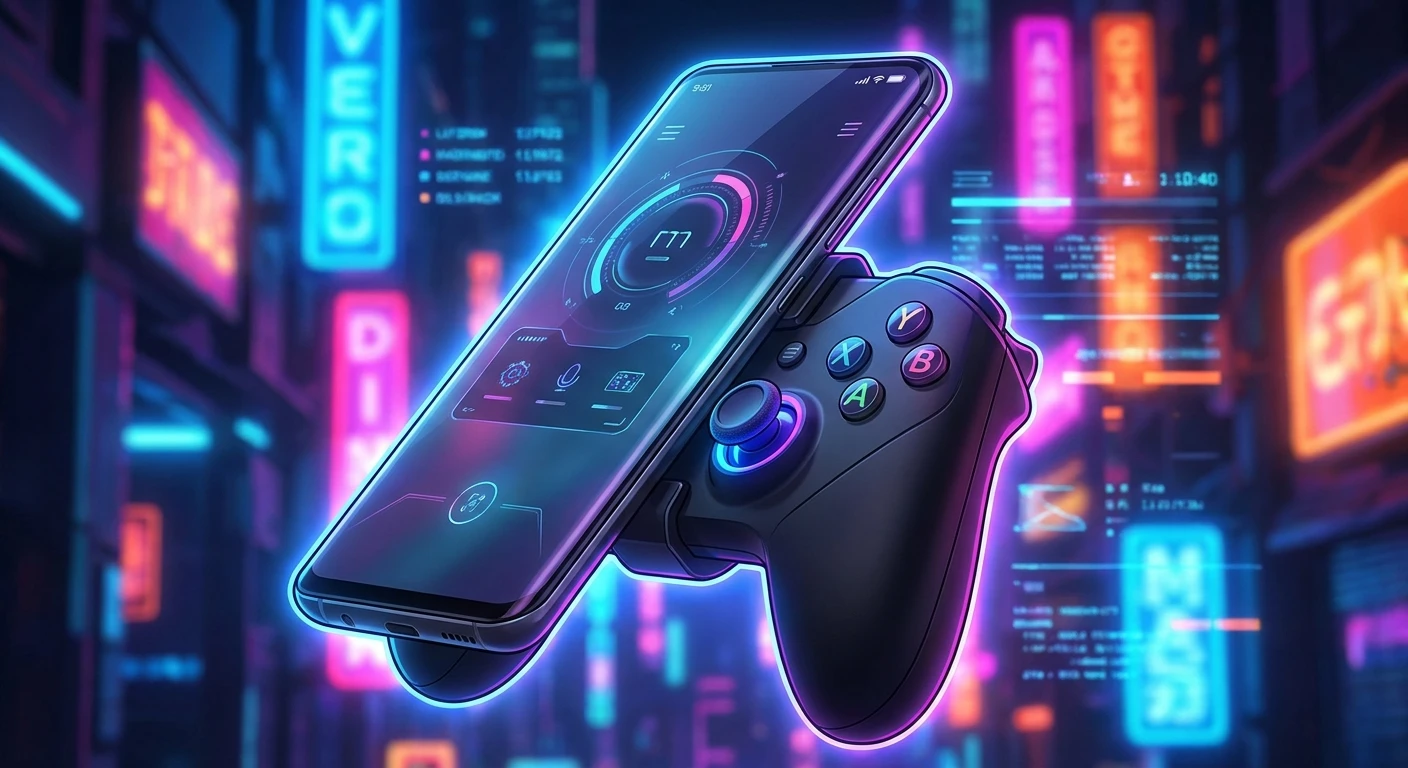
Mastering Mobile Play with the Backbone Xbox Controller
Hey, let’s talk about leveling up your on-the-go setup. The Backbone Xbox controller turns a standard smartphone into a dedicated, high-performance console, bridging the gap between mobile convenience and serious gaming. If you have ever felt the frustration of missing a crucial jump or failing a rapid quick-time event because your thumbs slipped on flat, smudged glass, this hardware is exactly what you need to fix that problem. Playing intensive AAA titles on a touchscreen simply lacks the tactical feedback required for precise execution. By snapping a rigid, ergonomic frame onto your device, the entire dynamic shifts instantly. You get real, clickable thumbsticks, responsive shoulder bumpers, and analog triggers that rival standard living-room hardware. Think about how many times a poor control scheme ruined an otherwise fantastic mobile port. The ecosystem has shifted massively over recent seasons, and players now expect absolute precision whether they are sitting on a comfortable couch or waiting for a long train commute. You do not have to compromise on input quality anymore. With instant connection, seamless software integration, and a form factor that slides effortlessly into a daily backpack, high-fidelity interactive entertainment is finally portable without relying on clunky Bluetooth workarounds. The market demands flexibility, and carrying a dedicated rigid setup changes the way you approach your daily downtime. The leap from virtual on-screen buttons to physical mechanical switches completely alters the skill ceiling for competitive titles on mobile platforms.
Why Dedicated Hardware Dominates Touch Controls
Understanding the distinct advantages of specialized mobile hardware starts with looking at raw performance metrics and everyday utility. The primary value proposition lies in turning idle moments into genuine progression sessions. Imagine trying to run a challenging Destiny 2 raid while sitting in an airport terminal; using on-screen virtual buttons makes that nearly impossible. Alternatively, picture navigating the chaotic firefights of Halo Infinite during your lunch break. Having actual tactile inputs means you hold a massive advantage over touchscreen users, maintaining your usual muscle memory without skipping a beat.
Read also: Ultimate Asus ROG Ally 2 Guide; How to Access Your Xbox Year in Review Stats and Data.
The engineering behind this peripheral completely redefines the smartphone experience. Here are the core mechanical upgrades you gain:
- Ultra-Low Latency Connectivity: By utilizing a direct physical connection to your device’s charging port, input delay drops to virtually zero, ensuring immediate on-screen reactions.
- Unrestricted Screen Real Estate: Physical buttons mean your thumbs no longer cover up crucial UI elements or incoming threats, giving you a full, unobstructed view of the battlefield.
- Pass-Through Charging and Audio: Dedicated ports allow you to juice up your phone battery and plug in your favorite wired headset simultaneously, preventing mid-match shutdowns.
The contrast becomes even clearer when mapping out specific features side-by-side.
| Hardware Feature | Backbone Xbox Advantage | Ideal User Scenario |
|---|---|---|
| Analog Triggers | Variable pressure input for precise throttle control | Racing simulators and precision shooters |
| Physical D-Pad | Crisp, accurate directional commands without slipping | Fighting games and side-scrolling platformers |
| Dedicated Capture Button | Instant recording and sharing of high-quality clips | Content creation and social media sharing |
When you map physical actions directly to familiar face buttons, the learning curve vanishes. The ecosystem actively encourages longer play sessions because the ergonomic grip prevents the cramping typically associated with holding a thin glass rectangle for hours. The software layer also aggregates your library, so launching straight into your backlog feels identical to navigating a home console dashboard. You gain immediate access to an expansive catalog, fundamentally shifting how you perceive your mobile device.
The Origins of Mobile Gaming Controllers
The push for tactile mobile inputs started long before cloud streaming became reliable. Early attempts involved awkward, spring-loaded clips that balanced a heavy smartphone precariously above a standard wireless pad. These setups caused severe wrist strain due to poor weight distribution. Players hated the top-heavy feel, which constantly threatened to tip backward and break focus during intense matches. Furthermore, relying on wireless pairing introduced noticeable input lag. When fraction-of-a-second timing determines a win or loss, waiting for a Bluetooth signal to register simply does not cut it. The industry needed something flush, balanced, and instantly responsive.
The Evolution of the Backbone Ecosystem
Engineers eventually realized that mimicking the Nintendo Switch form factor provided the optimal balance for long-term comfort. By placing the phone directly between two controller halves, the center of gravity shifts precisely to the middle of the hands. This telescoping design allowed a single product to accommodate various phone sizes snugly. Microsoft quickly recognized the potential of this seamless integration. Partnering directly with hardware manufacturers meant that the layout could perfectly mirror standard layouts, right down to the asymmetrical stick placement and branded Nexus button. This collaboration ensured that software translated inputs flawlessly without requiring clunky third-party mapping applications.
The Modern State of Cloud Gaming
Today, high-speed cellular networks and widespread dual-band Wi-Fi have made streaming massive titles a daily reality for millions. You no longer need to install huge files to enjoy premium graphics on a small screen. The infrastructure surrounding remote play has matured, turning server racks hundreds of miles away into your personal rendering engines. The physical controller acts as the final piece of this puzzle. It provides the necessary physical interface for an invisible, cloud-based powerhouse. Mobile networks now handle the heavy computing lifting, and the hardware simply translates your physical intent into digital action, creating a flawless loop of interactive entertainment that fits in your pocket.
Understanding Direct Connection Latency
When you press a button on a wireless controller, the signal must encode, travel through the air, decode on the host device, and execute the command. This process, while impressively fast, still introduces milliseconds of delay called latency. In fast-paced competitive environments, these milliseconds stack up, causing sluggish movement and missed opportunities. The physical port connection eliminates this wireless bottleneck completely. By routing data straight through the physical interface, the polling rate matches strict wired esports standards. The controller speaks directly to the processor, bypassing the Bluetooth stack entirely. This direct data transfer ensures that the moment the mechanical switch actuates, the software registers the input, giving you a competitive edge.
The Ergonomics of Asymmetrical Thumbsticks
Human thumbs naturally rest at slightly different angles when gripping a wide object. Symmetrical stick layouts often force thumbs to stretch downward unnaturally, causing fatigue over long periods. Asymmetrical placement, a hallmark of Microsoft’s design philosophy, aligns perfectly with the natural resting arc of the thumbs. This significantly reduces tendon strain during extended grinding sessions.
- Microswitch buttons rated for millions of actuations, providing a distinct, satisfying click with every single press.
- Low-friction thumbstick rings that prevent grinding plastic dust, ensuring consistently smooth rotations for precision targeting.
- A rigid, spring-loaded expanding bridge that exerts constant pressure to keep the phone firmly seated without rattling.
- An integrated DAC supporting high-fidelity 3.5mm headphone audio output for lossless sound.
- Smart pass-through charging capability that prioritizes the phone battery while siphoning only fractional wattage for the controller.
Day 1: The Initial Setup and Firmware Update
Start by downloading the companion application before snapping your phone into the cradle. Once connected, the app will automatically prompt a firmware update. Let this process finish completely without unplugging to ensure you have the absolute latest performance tweaks and critical bug fixes.
Day 2: Mapping Controls and Deadzone Tuning
Spend time in the settings menu adjusting your thumbstick deadzones. If you notice any drift or feel the sticks are too sensitive, increasing the inner deadzone slightly creates a more stable resting point for precision aiming, matching your exact physical preferences.
Day 3: Testing Xbox Game Pass Ultimate
Sign into your Microsoft account and launch the cloud streaming service. Pick a familiar, fast-paced title to test your network latency. This gives you a clear, practical baseline of how responsive your current Wi-Fi or cellular connection actually is under heavy graphical loads.
Day 4: Optimizing Network Settings for Cloud Play
If you experience stuttering, log into your home router settings and prioritize your mobile device’s MAC address. Switching to a dedicated 5GHz Wi-Fi band minimizes wireless interference from other household appliances, vastly improving visual clarity and input response times.
Day 5: Exploring Native Mobile Games Support
Do not limit yourself strictly to streaming. Check the companion app’s curated list of native App Store or Play Store titles that support physical inputs out of the box. Download a few genres to see how incredibly versatile the hardware can be completely offline.
Day 6: Leveraging Remote Play from Your Console
Leave your home console in rest mode and configure the remote play feature. This allows you to stream games directly from your own hard drive over the internet, bypassing cloud queues entirely and accessing titles that are not currently featured on the subscription service.
Day 7: Capturing and Sharing Gameplay Clips
Use the dedicated capture button on the controller to record your best mechanical moments. Familiarize yourself with how the software seamlessly trims and exports these videos so you can instantly upload your highlights to social media directly from the app interface without leaving the game.
Separating Hardware Myths from Reality
Myth: You can only play titles from the Microsoft ecosystem.
Reality: While explicitly branded for one ecosystem, this controller functions universally as a standard gamepad. You can seamlessly play native smartphone applications, use remote play for competing consoles, and access various other cloud streaming platforms without facing any restrictive software locks.
Myth: Direct connections drain your smartphone battery excessively.
Reality: The peripheral has no internal battery of its own and draws an incredibly minuscule amount of power from the phone. Furthermore, the built-in pass-through charging port lets you plug into a wall adapter, keeping your device fully charged during marathon sessions.
Myth: A top-tier flagship smartphone is strictly required to get good frames.
Reality: If you are relying on cloud streaming, your internet bandwidth matters far more than your phone’s internal processor. As long as your screen is visually clear and your Wi-Fi is strong, even mid-range or older budget smartphones deliver a flawless, high-definition experience.
Myth: Bluetooth gamepads are exactly as fast as physical connections.
Reality: Wireless connections always introduce variable input lag depending on local interference. A physical hardware connection guarantees immediate, zero-latency registration every single time, giving you a tangible mechanical advantage.
Does it require a home console to function?
No, it operates entirely independently, utilizing cloud services and native mobile titles without needing console hardware.
Is it compatible with thick phone cases?
Most heavy-duty cases must be removed, though extremely thin skins sometimes fit safely within the flexible rubber grips.
Can I use a traditional wired headset?
Yes, the inclusion of a standard 3.5mm audio jack fully supports latency-free wired audio output.
Does it work with Apple Arcade titles?
Absolutely, any game featuring native controller support recognizes the hardware immediately upon connection.
What is the standard warranty period?
Retail units typically include a standard one-year limited manufacturer warranty covering unexpected hardware defects.
Can I play games entirely offline?
Yes, native applications downloaded directly to your phone storage work flawlessly without an active internet connection.
How much cellular data does streaming consume?
Cloud streaming can use up to 3 gigabytes per hour, so an unlimited data plan is highly recommended for mobile players.
If you want to maximize your portable entertainment, adding the Backbone Xbox controller to your daily carry is the smartest move you can make. Grab yours today, set up your personalized game library, and completely revolutionize how you play on the go!



Leave a Reply