

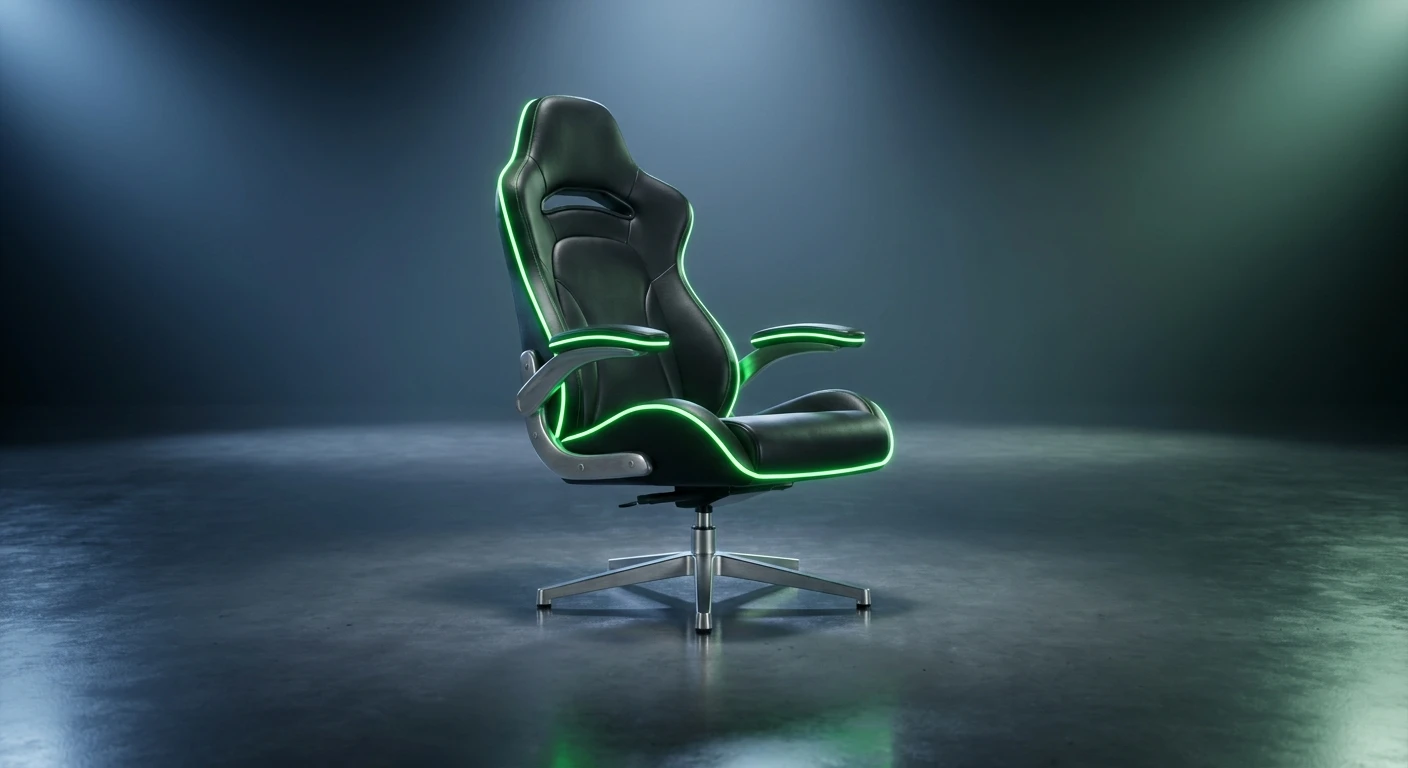
What Makes the Razer Iskur V2 a Game Changer?
Grabbing the right seating setup usually means sacrificing aesthetics for health, but the Razer Iskur V2 proves you can actually have both without compromise. If you spend countless hours at a desk clicking away at high-stakes competitive matches, grinding out endless raids, or just typing up massive documents, you already know the physical toll it takes on your spine. Lower back pain, neck stiffness, and shoulder fatigue are the silent enemies of every dedicated setup enthusiast. The Razer Iskur V2 tackles these exact problems head-on, functioning as an absolute game changer for your posture and long-term endurance. Instead of relying on a generic, static pillow that goes flat after a week of use, this chair introduces a completely dynamic approach to back support. It actively responds to the way your body moves. Think of it as a smart physical interface between your spine and your desk space. Sitting properly should never feel like a chore or a rigid punishment. By blending premium materials with genuine orthopedic design principles, this chair bridges the gap between those aggressive racing-style aesthetics everyone loves and the actual, medical-grade support your body desperately needs. The thesis is simple: when your body feels perfectly aligned and supported, your focus sharpens, your reaction times stay crisp, and your overall fatigue plummets.
Core Benefits and Unmatched Comfort
Getting the most out of your workstation requires equipment that adapts to you, not the other way around. The standout feature here is the highly publicized 6D adjustable lumbar system. Unlike standard chairs that offer a simple up-and-down ratchet mechanism or a dial that slightly stiffens the backrest, the Razer Iskur V2 features a spring-loaded lumbar cushion that swivels and pivots as you shift your weight. If you lean to the left to grab a drink, the lumbar support tilts with your spine, ensuring you never lose contact with the cushion. This dynamic tension relieves the pressure on your lower discs, preventing the dreaded lower-back slump that happens when we get tired.
Read also: The Ultimate god of war controller Guide; Ultimate Guide to mario galaxy switch.
| Feature | Traditional Gaming Chairs | Razer Iskur V2 Advantage |
|---|---|---|
| Lumbar Support | Basic strap-on pillow or static internal bar. | Adaptive 6D spring-loaded system that tracks movement. |
| Seat Base Design | Heavily bolstered, restricting leg movement. | Flared out, open edges allowing for cross-legged sitting. |
| Material Durability | Standard PU leather that peels over time. | EPU-grade synthetic leather resistant to spills and hydrolysis. |
To really understand the value proposition, picture two completely different scenarios. Scenario one: you are in a highly intense, sweaty competitive match. You are leaning forward, completely locked in. The chair’s lumbar system pushes forward with you, filling the gap in your lower back so your spine does not round forward. Scenario two: the match is over, and you want to lean back to watch a movie. As you recline, the lumbar support seamlessly pivots and flattens out to cradle your lower back in a relaxed position without digging aggressively into your spine. This dual-scenario adaptability is exactly what sets it apart.
To guarantee you are maximizing this hardware, follow these rules:
- Calibrate the tension: Use the side knobs to set the exact protrusion depth and height of the lumbar support so it perfectly matches the natural curve of your spine.
- Adjust the 4D armrests: Move them inward and backward during controller gameplay, or push them outward and flush with your desk height for mouse and keyboard use.
- Utilize the reactive tilt: Unlock the seat tilt mechanism and adjust the tension knob underneath so the chair rocks back slightly just from the weight of your upper body, promoting active blood circulation.
The Origins of Razer Gaming Chairs
Tracing the lineage of gaming seating takes us back to a time when everyone was just strapping cheap padding onto steel frames meant for actual race cars. Early gaming chairs looked fast, but they were notoriously terrible for your actual health. Racing bucket seats are designed to hold you tightly in place during high-speed lateral G-forces. They were never designed for a person sitting stationary at a desk for eight straight hours typing or moving a mouse. Razer watched this market saturate with visually loud but ergonomically disastrous products for years before making their move. When they finally entered the seating space, they did so with a massive splash, aiming to correct the fundamental flaws of the industry.
Evolution from V1 to V2
The original Iskur was a massive leap forward, introducing a large, pneumatic-looking lumbar flap that pushed out from the backrest. It was innovative, but the community had feedback. The original seat base had high side bolsters that pinched the thighs of larger users and made sitting cross-legged impossible. The lumbar system, while supportive, was relatively rigid once set in place. The jump to the Razer Iskur V2 represents a masterclass in listening to user feedback. Razer completely flattened the seat base, widened the shoulders, and replaced the rigid lumbar flap with the fully adaptive, swiveling 6D mechanism. They took a good chair and meticulously smoothed out every single rough edge.
The Modern State of Ergonomic Seating
Right now, the premium seating market is highly competitive, bridging the gap between high-end office furniture and gaming aesthetics. Gamers are older, more health-conscious, and willing to invest in their posture. The Razer Iskur V2 sits comfortably at the top of this modern tier. It proves you do not have to buy a boring mesh office chair just to protect your spine. The industry standard has officially shifted from visual flashiness to genuine ergonomic science, and this chair is holding the banner for that entire movement.
Understanding 6D Adaptive Lumbar Technology
Let us break down the actual mechanics inside the backrest. The term 6D refers to the six directions of adjustability and movement. The internal mechanism features dual dials on the left and right sides of the chair. One dial controls the vertical height of the lumbar support, allowing you to slide the curve up or down to hit the exact apex of your lordotic curve. The second dial controls the depth, extending the cushion outward for a more aggressive posture correction or retracting it for a subtle feel. But the real engineering magic is the spring-loaded swivel. The entire lumbar module is mounted on a multi-directional pivot. When you shift your weight laterally, the cushion tilts left or right up to 15 degrees. This means the foam maintains flush contact with your back regardless of how much you squirm, preventing uneven pressure points that lead to muscle spasms.
High-Density Foam and EPU Grade Synthetic Leather
Underneath the surface, the chair utilizes high-density, cold-cured foam. Standard foam collapses and loses its shape after a few months of body heat and weight. Cold-cured foam is manufactured in a specialized mold that gives it a higher density and a much longer lifespan, ensuring the seat cushion feels exactly the same on day one thousand as it did on day one. Wrapping this foam is EPU synthetic leather. EPU stands for elastomeric polyurethane. It is vastly superior to standard PU or PVC leather because it is highly resistant to hydrolysis, the chemical breakdown caused by sweat, humidity, and body oils.
- Weight Capacity: Engineered to safely support up to 299 lbs (136 kg) with a steel-reinforced frame.
- Recline Range: Features a massive 152-degree recline angle, perfect for taking quick power naps between gaming sessions.
- Gas Lift: Utilizes a Class 4 gas lift cylinder, the highest safety and durability rating available for seating hardware.
- Foam Density: Specially formulated cold-cured foam designed for optimal weight distribution and long-term memory retention.
- Material Science: EPU synthetic leather is specifically formulated to resist cracking, peeling, and flaking over years of heavy daily use.
Step 1: Base Assembly and Caster Alignment
Building your ideal setup starts from the ground up. Take the aluminum wheelbase and firmly press the five casters into the sockets. These wheels are coated with a soft PU material, meaning they will glide smoothly over hardwood floors without leaving scratches, and they are large enough to handle medium-pile carpet without getting bogged down. Ensure each wheel clicks completely into place so the base sits perfectly level.
Step 2: Attaching the Backrest and Gas Lift
Slide the Class 4 gas lift into the center hole of the wheelbase, and do not forget to drop the telescoping plastic cover over it. Next, carefully align the massive backrest with the steel brackets extending from the seat base. Hand-thread the side bolts first to ensure you do not cross-thread them, then use the included hex key to lock them down tight. Snap the magnetic side covers over the brackets for a clean, screw-free aesthetic.
Step 3: Dialing in the Initial Seat Height
Now that the chair is built, sit down and pull the right-side paddle to adjust the height. The golden rule of ergonomics is that your feet must rest entirely flat on the floor, and your knees should form a perfect 90-degree angle. If your feet are dangling, you cut off circulation to your lower legs. If your knees are raised too high, all your body weight shifts backward onto your tailbone, completely defeating the purpose of the ergonomic design.
Step 4: Calibrating the 6D Lumbar Protrusion
Sit back normally. Reach down to the dials on both sides of the chair. First, use the height dial to move the lumbar cushion up or down until it rests precisely in the deepest curve of your lower back. Next, use the depth dial to push the cushion outward. You want it to press firmly against your spine, holding your upper body perfectly upright without you having to use your core muscles to stay there.
Step 5: Setting the 4D Armrest Width and Height
Your shoulders need to stay completely relaxed to avoid neck tension. Adjust the height of the armrests so your elbows are supported at exactly the same height as your desk. You should not have to shrug your shoulders up, nor should you be leaning down. Use the width buttons to slide the arm caps inward or outward depending on how broad your shoulders are, ensuring your arms drop straight down by your sides.
Step 6: Adjusting the Recline and Tilt Tension
Reach under the front of the seat base and find the large cylindrical knob. This controls tilt tension. Turn it clockwise or counterclockwise until the chair leans back smoothly when you shift your weight, but does not aggressively snap back when you sit up. A properly tuned tilt tension allows you to rock slightly while thinking or watching videos, which keeps your back muscles engaged and promotes healthy blood flow.
Step 7: Positioning the Magnetic Head Cushion
The final touch is the premium memory foam headrest. Because it is magnetic, there are no ugly straps stretching over the top of the chair. Simply slide it up or down the backrest until the thickest part of the cushion fills the gap in your cervical spine (the back of your neck). It should support your head when you lean back, preventing you from looking down at your monitors and straining your neck.
Myths and Reality
Myth: Gaming chairs are just racing seats with absolutely no real back support.
Reality: While early generations of gaming chairs copied racing aesthetics at the expense of comfort, the Razer Iskur V2 utilizes highly advanced, medical-grade ergonomic principles, entirely separating itself from those cheap, flat-backed knockoffs.
Myth: You only need ergonomic chairs for office work, not for intense gaming.
Reality: Gaming actually requires more dynamic body movements and longer periods of locked-in concentration than typical office work. The physical strain is often much higher, making premium ergonomics completely essential for serious players.
Myth: EPU leather cracks and peels easily after just a few months of heavy use.
Reality: Standard PU leather is notorious for peeling, but EPU (elastomeric polyurethane) is a completely different chemical compound designed specifically to resist hydrolysis, sweat, and friction, ensuring it lasts for years.
Myth: The adaptive lumbar system is way too complicated and tedious to set up correctly.
Reality: It only takes about thirty seconds of turning two simple dials to find your perfect fit. Once you dial in the height and depth, the spring-loaded mechanism does all the complex adjustment work automatically as you move.
Does the Razer Iskur V2 fit tall people?
Yes, the backrest is extremely tall and the gas lift offers a wide range of height adjustments. It is specifically designed to comfortably support users up to 6 feet 6 inches (199 cm) without the shoulders feeling cramped.
Can I sit cross-legged in this chair?
Absolutely. Unlike the previous version which featured aggressive side bolsters, the V2 has a completely flattened and widened seat base, giving your legs plenty of room to stretch out or cross comfortably.
Is the lumbar support removable?
No, the 6D lumbar system is entirely built directly into the frame and mechanics of the backrest. However, if you prefer less support, you can dial the depth all the way back so it sits completely flush with the rest of the chair.
Will the casters scratch my hardwood floors?
The casters are coated with a customized soft PU material specifically designed to be gentle on hard surfaces. They glide silently and safely across hardwood, laminate, and tile without leaving marks.
How difficult is the assembly process?
The process is incredibly straightforward. It comes with a massive, easy-to-read instruction poster, a premium hex tool, and pre-installed bolts in many areas. Most people can fully assemble the chair alone in under 25 minutes.
Are the armrests completely lockable?
Yes, every single direction of the 4D armrests—height, depth, width, and rotation—locks firmly into place with dedicated metal buttons, meaning they will not accidentally slide out of position during intense gaming moments.
Does it come in different colors or fabrics?
Yes, besides the signature black with green stitching in EPU leather, it is often available in completely stealth black, as well as a highly breathable, ultra-soft spill-resistant fabric version for those who prefer a softer texture.
Summary and Next Steps
Your posture dictates your energy levels, and your energy dictates your performance. Settling for a mediocre seat means you are actively sabotaging your own comfort and health. The Razer Iskur V2 provides unparalleled adaptive support that moves flawlessly with your body, keeping your spine aligned through even the longest grinds. Stop letting lower back pain dictate how long you can play or work. Upgrade your battlestation today, invest in your physical well-being, and experience what true, zero-compromise ergonomic seating actually feels like.





Leave a Reply