

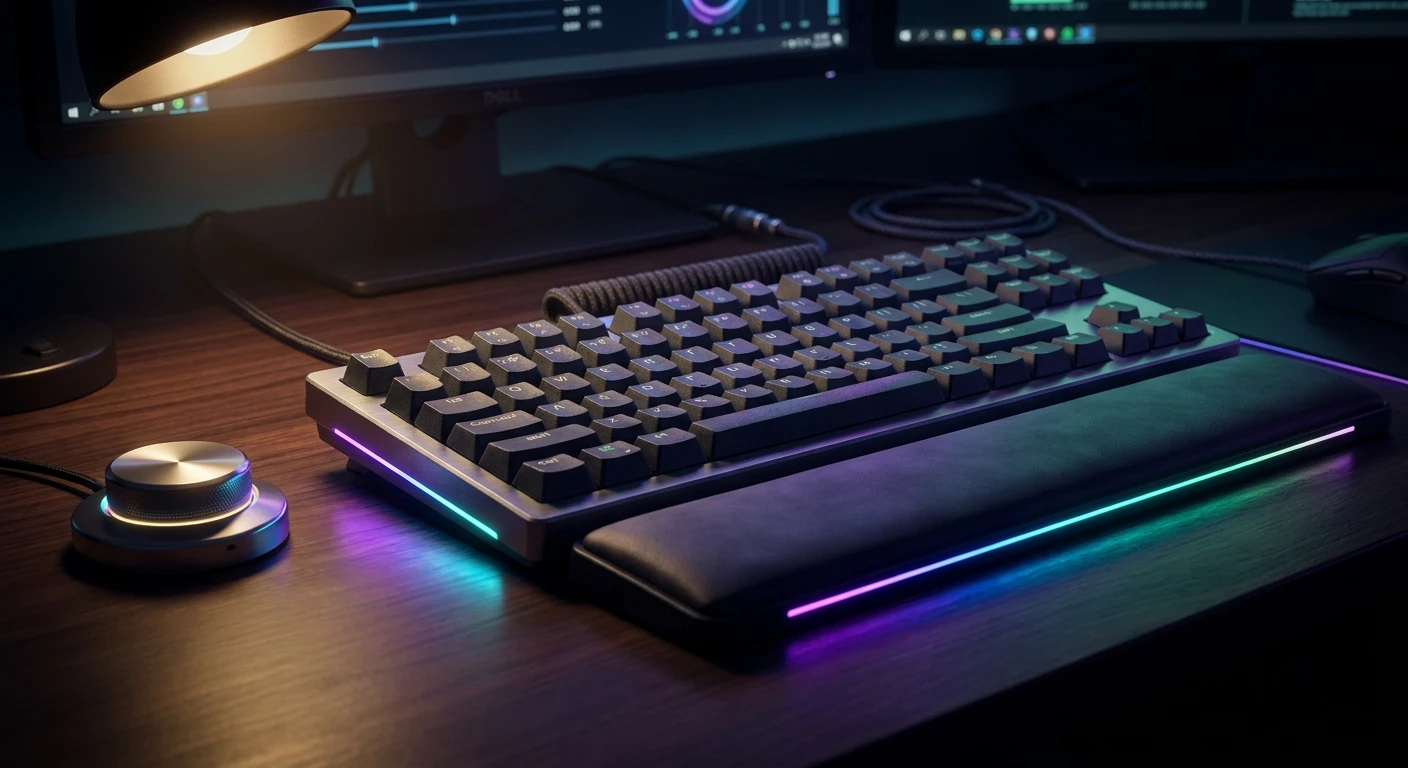
Why the razer blackwidow v4 pro Changes Everything
Listen, if you are looking for the absolute pinnacle of desktop control, the razer blackwidow v4 pro is staring right at you. I remember sitting in my freezing apartment in Kyiv back during the massive grid blackouts a couple of winters ago. I had my entire rig hooked up to a portable EcoFlow power station just to keep grinding in competitive matches. Sitting there in the pitch dark, the vibrant, glowing underglow of my keyboard was literally the only light source in the room. It felt almost cinematic, a small beacon of normalcy while sirens occasionally wailed outside. That experience taught me something crucial: a keyboard is not just a peripheral; it is your main interface with the digital universe.
You want gear that does not just respond but anticipates. The thesis here is simple: this flagship board perfectly balances enthusiast-level customizability with ultra-high-end mainstream gaming performance. It bridges the gap between those super-niche custom builds and massive commercial gaming setups. Whether you are a hardcore gamer, a video editor looking for workflow shortcuts, or just someone who appreciates premium hardware, this peripheral demands your attention. I have spent countless hours typing, mapping, and gaming on this beast, and friend, it delivers an experience that makes going back to a standard layout feel completely archaic.
Let me walk you through exactly why this piece of hardware deserves the premier spot on your desk.
The Core Benefits: More Than Just Flashing Lights
When you put your hands on this aluminum chassis, you immediately feel the premium construction. It is heavy, solid, and refuses to slide around your desk during intense gaming sessions. The real magic, though, happens when you start taking advantage of the macro keys and the command dial. You see, most people just plug a keyboard in and start typing. But if you do that here, you are missing out on 80% of the value. For instance, you can map the dedicated macro keys on the left side to instantly launch your streaming software, mute your mic on Discord, or execute complex buy-menus in Counter-Strike.
The value proposition is incredible when you factor in time saved and the tactile pleasure of the keystrokes. You are getting a control center. Here is a breakdown of the standout features and how they actually translate to daily use.
| Hardware Feature | Direct Benefit | Daily Use Case |
|---|---|---|
| Customizable Command Dial | Fluid, analog control over desktop settings without Alt-Tabbing. | Zooming in on timeline tracks while video editing or instantly adjusting system volume during a loud cutscene. |
| Dedicated Macro Keys (Left + Edge) | One-touch execution of complex multi-button combinations. | Assigning OBS scene transitions for Twitch streaming or quick-buy weapon loadouts in tactical shooters. |
| Plush Leatherette Wrist Rest | Massive reduction in wrist fatigue and carpal tunnel risk over long sessions. | Writing a 5000-word essay or grinding an MMO raid for six hours straight without feeling pain. |
To truly get the most out of this setup, you need to understand the workflow. Here is exactly how to start maximizing your productivity and gaming efficiency right out of the box:
- First, bind the primary command dial to window switching or timeline scrubbing, depending on your profession. It feels incredibly satisfying and saves countless clicks.
- Second, map the left-side macro keys to your most-used application shortcuts. Do not leave them blank. I have mine set to screenshot, mute mic, and open Spotify.
- Third, snap on the magnetic wrist rest. Even if you think you do not need it, the integrated RGB underglow connects seamlessly and it aligns your wrists to the optimal typing angle for the mechanical switches.
Origins of the BlackWidow Line
Let me take you back to 2010. The gaming peripheral landscape was honestly a bit of a wasteland. We were all using mushy membrane keyboards, thinking that was just how things were supposed to feel. Then Razer dropped the original BlackWidow. It was the first mass-market mechanical gaming keyboard, and it completely shifted the paradigm. Suddenly, everyone wanted that loud, clicky feedback. It was a status symbol in LAN cafes everywhere, especially back here in Eastern Europe where internet cafes were the ultimate proving ground.
Evolution of Razer Mechanical Switches
Over the years, the company did not just sit still. They realized that sourcing standard third-party switches wasn’t enough to maintain a competitive edge. They started engineering their own proprietary switches—the famous Greens, Oranges, and Yellows. They tweaked the actuation points, adjusted the reset distances, and drastically improved the lifespan to 100 million keystrokes. The journey from those early, sometimes wobbly keys to the ultra-stable, box-style stems we have today is a testament to relentless iterative engineering.
Modern State of Enthusiast Boards
Now that we are deep into 2026, the market has matured. We have custom keyboard builders lubing switches and tuning stabilizers with medical precision. To compete, mainstream flagships had to step up. The latest iteration brings pre-lubed stabilizers, internal sound dampening foam, and an aggressive polling rate to satisfy the most demanding switch snobs while keeping the plug-and-play convenience that massive gaming audiences demand.
The Physics of Tactile Feedback
You might be wondering what exactly is happening under your fingertips. When you press a mechanical switch, you are fighting against a finely calibrated metal spring. The actuation force—usually around 45 to 50 grams depending on your switch choice—is the exact amount of pressure required to bridge the electrical contact. What makes this specific hardware special is the dual-layer sound dampening foam inside the chassis. This foam absorbs the high-frequency pinging noise of the metal springs resonating inside the plastic and aluminum housing, leaving you with a deep, satisfying thock sound.
Polling Rates and Latency Explained
Let us talk speed. Most standard keyboards check for a keypress 1000 times a second (1000Hz). This beast checks 8000 times a second. Why does 8000Hz matter? It is about narrowing the gap between your physical action and the digital reaction down to fractions of a millisecond. When you are tracking a target in a high-refresh-rate competitive shooter, a 0.125ms input delay compared to a standard 1ms delay can theoretically be the difference between getting a shot off or getting eliminated.
- Actuation Point: Specifically tuned for rapid resets, allowing for faster double-tapping.
- Debounce Delay: Virtually eliminated through advanced firmware, preventing accidental double-registrations.
- Acoustic Tuning: Factory-lubricated stabilizers drastically reduce the friction and rattle on larger keys like the Spacebar and Shift.
- Power Draw: Requires two USB connections to fully power the immense 8000Hz processing chip and the ultra-bright 3-side underglow.
Day 1: Unboxing and Ergonomics
On your first day, ignore the software. Just focus on the physical layout. Set the keyboard on your desk, snap the magnetic wrist rest into place, and adjust the rear feet to either the 6-degree or 9-degree incline. Spend this day simply getting used to the key spacing, especially the extra column of macro keys on the far left, which might initially throw off your muscle memory.
Day 2: Razer Synapse Setup
Now you connect the dual USB-C cables and boot up Synapse. Yes, peripheral software can be annoying, but you need it here. Update the firmware immediately. Then, create your basic profile. Set your base lighting to a static color so you aren’t distracted while trying to learn the new layout.
Day 3: Mastering the Command Dial
Dedicate today to the dial. Go into the software and set up three distinct modes for the dial—for example, volume control, browser tab switching, and zooming. The dial changes color based on the mode. Force yourself to use the dial instead of your mouse for these tasks. By the end of the day, it will start feeling natural.
Day 4: Macro Key Configuration
It is time to program those M1 through M5 keys. If you stream, bind them to your streaming software. If you play MMOs, bind them to your complex rotation buffs. Also, do not forget the three sneaky macro buttons hidden on the left edge of the chassis. I use those for media playback (previous, play/pause, next).
Day 5: Customizing Chroma RGB
Now you can have fun. Open Chroma Studio. Because the wrist rest has its own pogo-pin connection, the lighting flows seamlessly from the board down to the desk. Layer your effects—maybe a subtle wave in the background with reactive ripples every time you strike a key.
Day 6: Typing Speed and Accuracy Run
Spend Day 6 doing typing tests on sites like Monkeytype. Because the keycaps are doubleshot ABS (or PBT depending on your specific region), they have a distinct texture. Pushing your typing speed will help iron out any lingering muscle memory issues with the macro column positioning.
Day 7: Competitive Gaming Test
You are ready. Boot up your most demanding competitive game. Turn on the 8000Hz polling rate in Synapse (ensure your CPU can handle it). You will notice that your strafing feels impossibly crisp, and your ability to hit complex key combinations in the heat of battle is smoother than ever.
Debunking Keyboard Myths
There is a lot of misinformation out there about high-end gaming peripherals. Let us clear the air right now.
Myth: Mechanical keyboards are always annoyingly loud and will wake up everyone in your house.
Reality: While older models were incredibly noisy, the inclusion of sound dampening foam and the option for linear Yellow switches make this board surprisingly quiet and perfectly suitable for shared spaces.
Myth: An 8000Hz polling rate is just a marketing gimmick that no human can actually perceive.
Reality: While a casual player might not notice, competitive players on 240Hz or 360Hz monitors absolutely feel the reduction in input latency, making movements feel instantly responsive.
Myth: The macro keys are only useful if you are a professional esports player.
Reality: Macro keys are arguably more beneficial for productivity tasks, like video editing, coding, or simply navigating Windows faster than using a mouse.
Myth: Wrist rests are purely aesthetic and do not actually help with ergonomics.
Reality: A properly angled wrist rest elevates your carpal tunnel, significantly reducing the strain and extension required to hover over high-profile mechanical keys.
Are the switches hot-swappable?
No, the switches on this specific model are soldered to the PCB. You have to choose your preferred switch type (Green clicky or Yellow linear) at the time of purchase.
Does it work seamlessly with a Mac?
While the keyboard will function as a standard typing device on macOS, the Synapse 3 software is heavily optimized for Windows. You will lose access to advanced macro programming and complex RGB layering on a Mac.
Are the macro keys removable?
The physical keys cannot be removed without desoldering, but you can completely disable them in the software if you find yourself accidentally pressing them.
How long is the included braided cable?
The device comes with two premium, braided USB-C to USB-A cables that are roughly 2 meters (6.5 feet) long, giving you plenty of length to route behind a large desk setup.
Does the wrist rest require separate power?
No, the wrist rest draws its power and RGB data directly from the main keyboard chassis via a five-prong magnetic pogo-pin connector.
Can I change the keycaps later?
Absolutely. The board uses a standard bottom row layout and standard cross-shaped stems, meaning you can easily swap out the stock caps for any custom aftermarket set you prefer.
What switch options are available?
Typically, you can grab this board with either Razer Green switches (tactile and clicky) for maximum feedback, or Razer Yellow switches (linear and silent) for smooth, rapid actuation.
Final Thoughts
Upgrading your primary interface is one of the most satisfying changes you can make to your daily routine. The razer blackwidow v4 pro offers a staggering amount of utility, stunning aesthetics, and raw performance that justifies its footprint on your desk. Don’t settle for mushy keys and limited control. Grab yours today to elevate your gaming and productivity to a completely new level.





Leave a Reply