

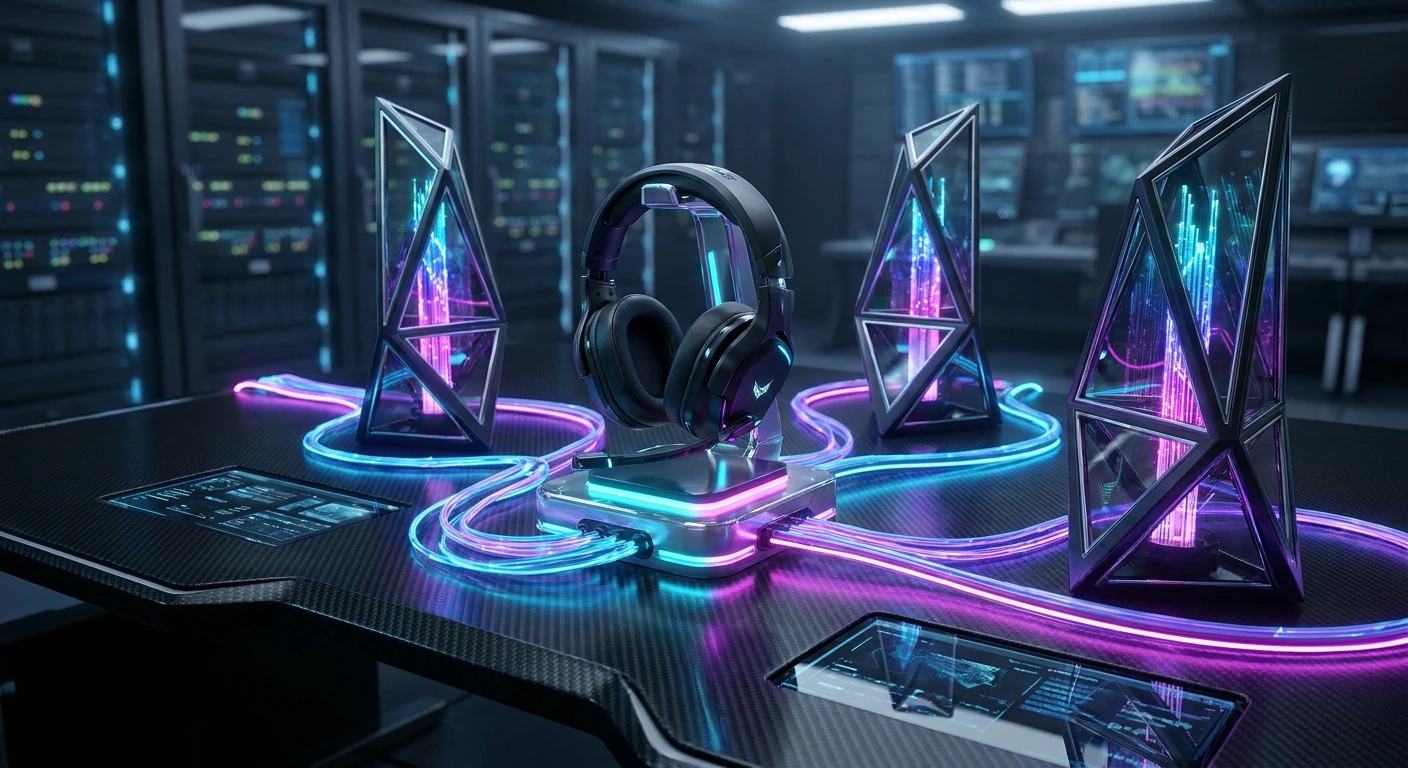
The Complete Guide to the Astro A50X Gaming Headset
If you are looking to elevate your entire gaming setup, the A50X represents a massive leap forward in multi-platform audio connectivity and raw sound fidelity. You no longer need to compromise or tangle yourself in multiple cables when switching between a PlayStation, an Xbox, and a high-end PC. This flagship device acts as a centralized command hub, streamlining your display and audio signals through a single, elegant base station. The gaming industry has long struggled with walled gardens, forcing players to buy separate peripherals for competing console ecosystems. By integrating HDMI 2.1 passthrough technology, this headset breaks down those barriers entirely.
Think of this hardware as an audio receiver built specifically for competitive and immersive gaming. It captures the uncompressed audio directly from the video source before it reaches your television, guaranteeing absolute clarity and zero latency. Navigating modern gaming requires hardware that adapts instantly to your needs, and the PLAYSYNC system manages this beautifully. From the premium build quality to the meticulously engineered acoustics, every component is designed to keep you focused on your screen rather than troubleshooting connections. This guide covers every technical aspect, historical context, and optimization step needed to master this powerhouse device.
Read also: Backbone Xbox Review: Unleash Console Gaming Anywhere; Mastering the PS5 Elite Controller: A Complete Guide.
Core Benefits and PLAYSYNC Functionality
At the heart of the hardware is the PLAYSYNC technology, an engineering feat that fundamentally changes how gamers interact with multiple platforms. Instead of manually moving USB dongles or changing television inputs with a remote, a single button press on the right earcup commands the base station to switch both the active audio feed and the video output simultaneously. It acts as an intelligent HDMI switch. The moment you press the button, your television transitions from the PlayStation 5 interface to the Xbox Series X dashboard, with the headset’s wireless connection following suit instantly.
This seamless switching provides massive value for diverse gaming habits. For example, if you are playing a visually atmospheric title like Alan Wake 2 on PlayStation and suddenly get invited to a competitive Call of Duty: Warzone match on Xbox, the transition takes less than three seconds. The PRO-G GRAPHENE drivers ensure that whether you are absorbing ambient horror soundscapes or listening for faint, directional footsteps in a chaotic multiplayer environment, the audio reproduction remains incredibly precise and distortion-free.
| Platform | Primary Connection Method | Maximum Audio Output |
|---|---|---|
| PlayStation 5 | HDMI 2.1 & USB-C | 24-bit / 48 kHz High-Res |
| Xbox Series X|S | HDMI 2.1 & USB-C | Dolby Atmos Spatial Audio |
| Gaming PC | Direct USB-C | Uncompressed 24-bit Stereo |
To fully grasp the core advantages of this system, consider these primary benefits:
- Seamless Multi-Platform Switching: The ability to cycle through three distinct gaming systems using a physical button on the headset, controlling both audio and video inputs instantly.
- Uncompressed Audio Extraction: By pulling sound directly from the HDMI 2.1 signal, the headset bypasses the limitations of standard USB audio limits found on modern consoles.
- Broadcast-Quality Microphone: A high-resolution 48 kHz sampling rate microphone ensures voice communications are crystal clear, drastically reducing background noise and digital artifacting.
The Origins of the Astro Lineage
The foundation of this technology traces back to the earliest days of professional competitive gaming. Major League Gaming (MLG) events required audio equipment that could isolate voice communications while delivering accurate game sound in incredibly noisy arena environments. The original A40 and its accompanying MixAmp became the industry standard, offering tournament players a reliable way to balance voice chat and game audio physically. This established a legacy of premium, esports-grade hardware that prioritized durability, comfort, and precise acoustics.
The Evolution of Multi-Platform Audio
As gaming moved away from wired setups in the living room, the A50 series was introduced to bring the MixAmp experience into a wireless form factor. Early generations relied heavily on optical audio cables (TOSLINK) to extract surround sound from consoles. However, as hardware evolved, console manufacturers began removing optical ports entirely from the PlayStation 5 and Xbox Series X to reduce manufacturing costs and promote HDMI standardization. This created a massive void in the market, as traditional USB audio could not support the same level of uncompressed, multi-channel mixing that optical cables once provided, leading to fractured headset compatibility across different brands.
The Modern State of the Base Station
To solve the optical audio dilemma, Logitech G and Astro engineers completely reimagined the base station. Instead of relying on legacy ports, they built an HDMI 2.1 passthrough hub. This modern iteration not only charges the headset magnetically but acts as a highly advanced A/V receiver. By capturing the audio data directly from the HDMI stream at 40 Gbps bandwidth, it fully restores high-fidelity sound mixing capabilities for the current generation of consoles while maintaining a sleek, desktop-friendly footprint.
Technical Audio and Video Specifications
Understanding Graphene Audio Drivers
The leap to PRO-G GRAPHENE 40mm drivers represents a significant milestone in acoustic engineering. Traditional headset drivers use Mylar or standard plastics, which can warp or deform slightly when producing loud, complex sounds—a phenomenon known as harmonic distortion. Graphene is an ultra-lightweight, incredibly rigid carbon lattice. Because the material is so stiff yet virtually weightless, the speaker diaphragm moves perfectly uniformly. This results in unprecedented precision, especially in the low-to-mid frequency ranges where explosions and deep bass normally muddy the directional audio of footsteps or reloading weapons. The clarity is immediate and measurable.
The Mechanics of HDMI 2.1 Passthrough
Implementing an HDMI 2.1 switcher inside a headset base station requires immense processing bandwidth. The station must handle up to 40 Gigabits per second to ensure that the visual experience is never compromised while extracting the audio. It operates purely as a passive passthrough for the video signal, meaning it perfectly preserves advanced console features. Gamers retain full access to 4K resolution at 120 frames per second, Variable Refresh Rate (VRR) to eliminate screen tearing, and Auto Low Latency Mode (ALLM). The base station intercepts the audio packets, processes them through its dedicated digital-to-analog converter, and beams them to the headset via the proprietary LIGHTSPEED wireless protocol.
- PRO-G GRAPHENE 40mm Drivers: Eliminate membrane deformation to reduce harmonic distortion across the entire frequency spectrum.
- LIGHTSPEED Wireless Protocol: Operates at an uncompressed 24-bit/48 kHz rate for studio-grade acoustic performance and zero perceived lag.
- 4K 120Hz Video Passthrough: Manages massive 40 Gbps HDMI signaling without adding any visual latency or degrading color depth.
- Simultaneous Bluetooth Mixing: Features an independent Bluetooth module allowing simultaneous smartphone connectivity alongside game audio for music or mobile calls.
Actionable 7-Step Setup Plan
Step 1: Unboxing and Base Station Placement
Start by locating a well-ventilated, central location for the base station, ideally near your primary television or monitor. Ensure it sits on a flat surface so the magnetic charging pins align effortlessly with the headset. Keep the unit away from dense metal objects or large routers to prevent any potential 2.4GHz wireless interference with the LIGHTSPEED connection.
Step 2: Connecting the Xbox Series X
Take an Ultra High-Speed HDMI 2.1 cable and connect it from the HDMI output on the back of your Xbox Series X directly into the designated Xbox HDMI input on the back of the base station. Next, connect the included USB-C to USB-A cable from the Xbox USB port to the Xbox-labeled USB-C port on the base station. This dual connection provides both audio and voice chat data.
Step 3: Integrating the PlayStation 5
Repeat the previous process for the PS5. Run an HDMI 2.1 cable from the PS5 console to the PS5-labeled HDMI input on the base station. Then, route a second USB cable from the PS5 to the corresponding PS5 USB-C port on the hub. Double-check that your HDMI cables are certified for 48 Gbps to ensure 4K 120Hz functionality is preserved.
Step 4: Routing to Your Gaming PC
The PC connection is significantly simpler as it does not require an HDMI passthrough. Simply connect a high-speed USB-C to USB-A cable from the base station’s PC port directly into a high-bandwidth USB port on your motherboard. The PC will automatically recognize the base station as multiple digital audio endpoints, allowing for seamless Game and Voice mixing.
Step 5: Display Connection and HDMI Handshake
Connect a final, high-quality HDMI 2.1 cable from the singular HDMI Output port on the base station to your television or gaming monitor’s primary HDMI 2.1 port. Power on your television, consoles, and the base station. Wait approximately thirty seconds for the devices to perform their digital handshake and establish a stable connection.
Step 6: Logitech G Hub Software Configuration
Connect the base station to your PC and download the Logitech G Hub software. This program will prompt you to install the latest firmware updates for both the base station and the headset itself. These updates are crucial for ensuring maximum compatibility with console operating systems and refining the Bluetooth mixing performance.
Step 7: Customizing the EQ Settings
Within the G Hub software, access the advanced parametric equalizer. You can create custom audio profiles tailored specifically to your favorite games, boosting the 2000Hz to 4000Hz range for better footstep detection in tactical shooters, or enriching the bass frequencies for cinematic single-player experiences. Save these profiles directly to the headset’s onboard memory.
Common Myths and Realities
Myth: The HDMI passthrough adds noticeable input lag to your television.
Reality: The HDMI passthrough is fully passive for the video signal. It strictly copies the audio data packets without holding or processing the video frames, preserving VRR and ALLM without adding a single millisecond of visual latency.
Myth: Graphene drivers are just a marketing gimmick with no real acoustic benefit.
Reality: Graphene’s physical properties drastically reduce membrane deformation at high volumes. Acoustic testing proves this material produces measurably lower total harmonic distortion compared to traditional Mylar drivers, yielding cleaner audio.
Myth: The system only works well with one console powered on at a time.
Reality: The PLAYSYNC technology is specifically designed to manage three active machines simultaneously. You can leave your PC, PS5, and Xbox running, and instantly switch the display and audio focus between them using the headset button.
Frequently Asked Questions
Does it support Dolby Atmos?
Yes, it fully supports Dolby Atmos on Xbox and PC, and heavily utilizes the proprietary Tempest 3D AudioTech when connected to a PlayStation 5.
Can I use it on a Nintendo Switch?
While not natively built for the Switch dock’s HDMI passthrough, you can connect a Switch to the base station via Bluetooth for game audio while in handheld mode.
How long does the battery last?
The battery provides up to 24 hours of continuous playback on a single charge. Simply placing the headset back on the magnetic base station keeps it fully topped up between sessions.
Is the microphone detachable?
No, the microphone is a permanent fixture. However, it features a convenient flip-to-mute function that physically cuts the microphone circuit when raised.
Does it require separate HDMI cables?
Yes, you must supply your own Ultra High-Speed HDMI 2.1 cables to connect your consoles to the base station, and one to connect the station to your television.
Can I connect my phone via Bluetooth?
Yes, the headset supports simultaneous dual-audio mixing, allowing you to listen to game audio via the base station while connected to a phone for Discord calls or music.
Does the base station charge the headset?
Yes, the base station acts as a magnetic docking unit. As long as the headset is seated correctly, it will charge automatically while not in use.
Optimizing your gaming environment requires hardware that matches your ambition. The absolute convenience of the PLAYSYNC ecosystem, combined with the unparalleled clarity of graphene audio drivers, completely redefines console and PC integration. Upgrade your audio setup today by experiencing the unrivaled connectivity of this flagship headset.




Leave a Reply